Solutions

Resources

Solutions

Resources

Mymeet.ai for management

Mymeet.ai for management

Manage every project effortlessly

Manage every project effortlessly

We’ll break down meetings into projects, track statuses and blockers, and assign tasks to participants. Easily copy and share updates in work chats.

We’ll break down meetings into projects, track statuses and blockers, and assign tasks to participants. Easily copy and share updates in work chats.

Get started for Free

180 minutes for free. No credit card needed. All data is protected.

Get started for Free

180 minutes for free. No credit card needed. All data is protected.

LOVED BY TEAMS AT

Meeting Jan 28, 2025

Zoom

28.01.2025 11:00 AM

93 min

Protocol

Team sync

One-to-one

Default meeting

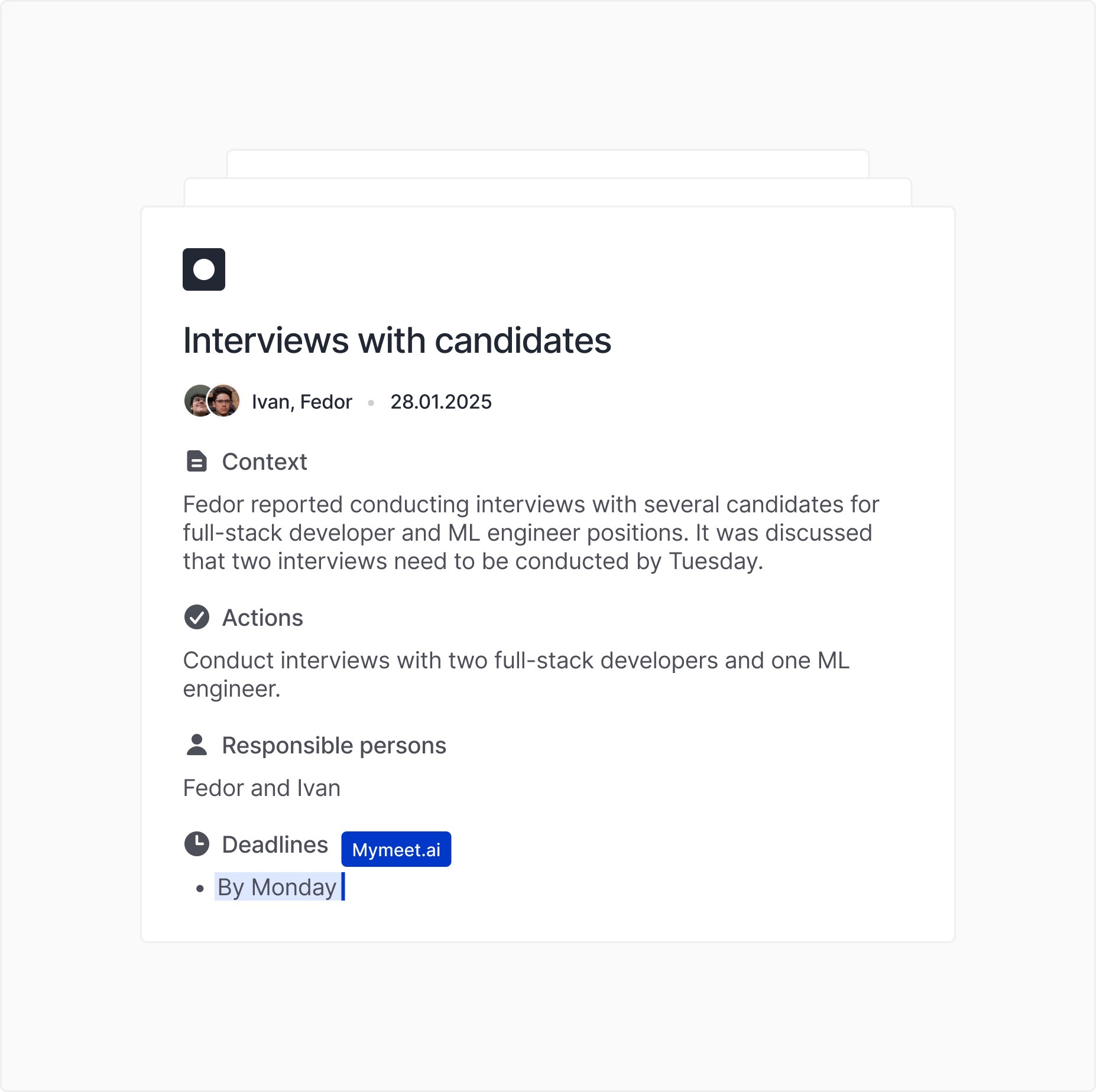
Conducting interviews with candidates

  • Context: Fedor reported conducting interviews with several candidates for full-stack developer and ML engineer positions. It was discussed that two interviews need to be conducted by Tuesday.

  • Actions: Conduct interviews with two developers and one ML engineer.

  • Responsible persons: Fedor and Misha.

  • Deadlines: By Monday.

Printer installation for work optimization

  • Context: Fedor reported the purchase of a printer that will reduce document printing time. This will improve overall work efficiency.

  • Actions: Install the printer and configure it for use.

  • Responsible person: Fedor.

  • Deadlines: Within the current week.

Creating content for TikTok

  • Context: The idea of creating content for TikTok was discussed, and Vanya suggested that it could be more profitable than the current work.

  • Actions: Develop a content plan for TikTok and identify those responsible for its implementation.

  • Responsible persons: Vanya and Fedor.

  • Deadlines: Within a month.

Protocol

Team sync

One-to-one

Default meeting

Protocol

Team sync

One-to-one

Default meeting

Transcribe 1-hour interviews in 5 minutes
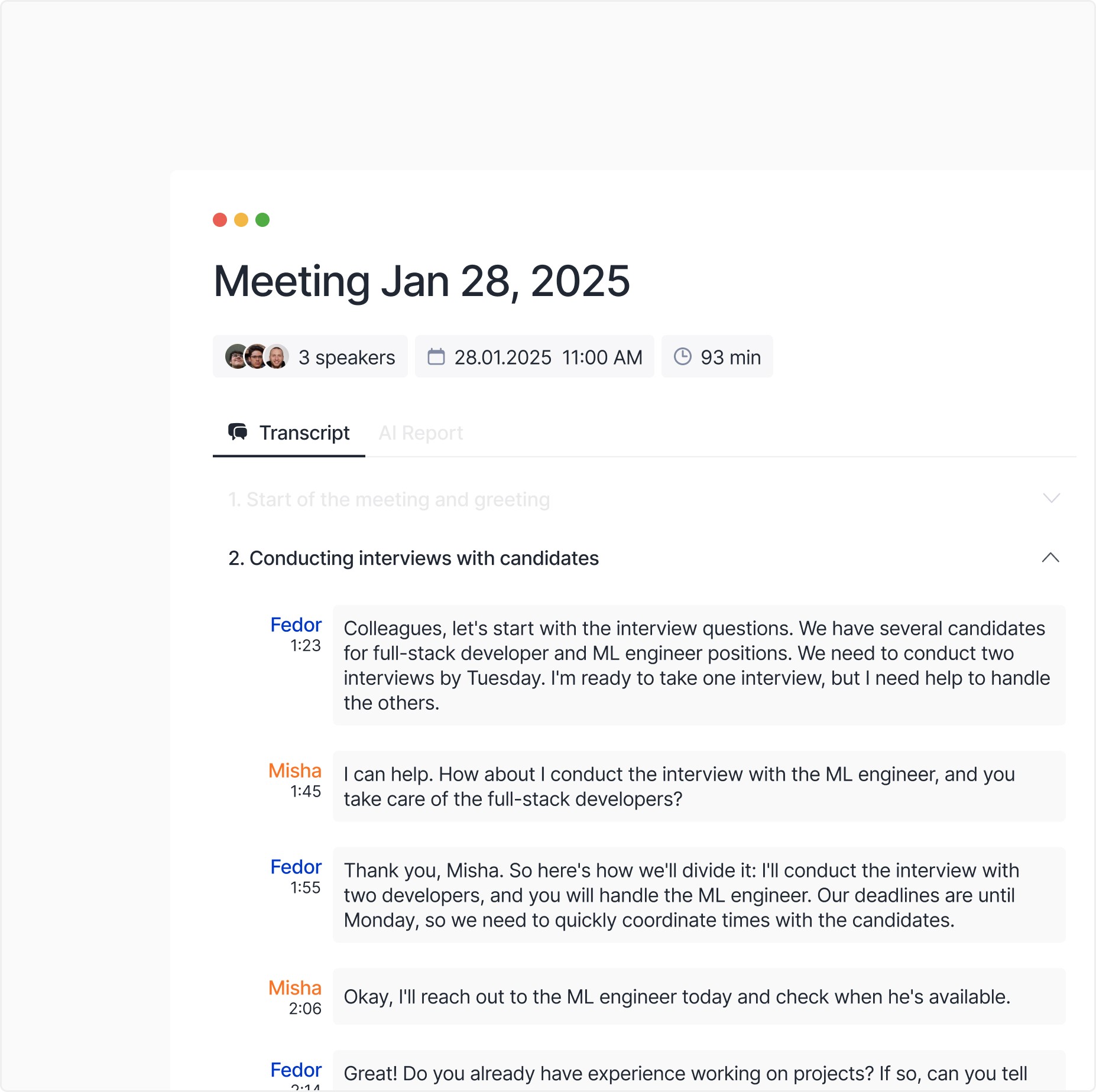
The transcript identifies speakers and detects complex terms. Edit it in the app, then download and share the results with colleagues

The transcript identifies speakers and detects complex terms. Edit it in the app, then download and share the results with colleagues

Speakers identification

Speakers identification

Export and share by email

Remove filler words

Remove filler words

Track any project stage with ease

We extract key work directions from conversations and organize them, making it easy to share structured updates with colleagues for quick context

We extract key work directions from conversations and organize them, making it easy to share structured updates with colleagues for quick context

Actions to complete

Actions to complete

Project context

Project context

Responsible persons and deadlines

Responsible persons and deadlines

Integration with Zoom, Google Meet and more

Mymeet.ai works with Zoom, GMeet, Teams and other platforms. Calendars integration ensures that we record every meeting

Mymeet.ai works with Zoom, GMeet, Teams and other platforms. Calendars integration ensures that we record every meeting

Telegram bot

Telegram bot

Calendars integration

Calendars integration

Instant setup

Instant setup

Stay on top of tasks and deadlines

Reports capture key details: who is responsible for what and when tasks are due. Every participant gets a structured summary — no confusion

Reports capture key details: who is responsible for what and when tasks are due. Every participant gets a structured summary — no confusion

Clickable tasks

Clickable tasks

Appointment of responsible persons

Appointment of responsible persons

Setting deadlines

Setting deadlines

Connect an AI assistant in just 5 minutes and start managing projects easier today

STEP 1

Registration

Registration

Register in the service via your Google and Yandex account or email

Register in the service via your Google and Yandex account or email

30 seconds

STEP 2

Setting up your space

Setting up your space

Link Google Calendar or Microsoft Oulook and connect your Telegram

Link Google Calendar or Microsoft Oulook and connect your Telegram

2-3 min

STEP 3

Adding a meeting

Adding a meeting

Begin your meetings — AI Assistant will automatically take notes and send reports

Begin your meetings — AI Assistant will automatically take notes and send reports

5-90 min

We’re here to help

Have other questions? Get in touch with our team via hello@mymeet.ai

Have other questions? Get in touch with our team via hello@mymeet.ai

How does mymeet.ai help manage projects?

The service automatically determines project statuses, records key blockers, and assigns tasks with responsible parties and deadlines. This data can be easily exported and shared with the team, helping to quickly immerse in the context and effectively plan work.

How does mymeet.ai record agreements and tasks after meetings?

Mymeet.ai creates structured reports that outline the main agreements, responsible individuals, and deadlines. This simplifies task management and reduces the risk of forgetting key agreements or deadlines.

How to use mymeet.ai for team syncs?

Mymeet.ai helps organize and record team syncs by automatically creating meeting protocols with task assignments. Participants receive a report clearly indicating who is responsible for what, ensuring transparency in work.

Is there an on-premise solution for the company?

Yes, mymeet.ai offers the option to deploy an on-premise solution. This allows for data storage and processing within the company's corporate infrastructure, ensuring maximum control over privacy and compliance with internal security requirements.

How secure is the data?

We store all data in accordance with the laws and regulations of the country in which we operate, as well as our own privacy policy. Data is transmitted using encryption (SSL/TLS) and stored on secure servers. If security is a serious concern for you, we recommend considering enterprise-level solutions.

Are personal improvements possible for our organization?

Yes, mymeet.ai offers the ability to customize the service to meet the individual needs of the company. This may include functionality adjustments, integration with corporate systems (CRM, analytics platforms, and other tools), as well as personalized report and analytics settings.

How to pay for the corporate plan?

To pay for the corporate plan, contact the sales department of mymeet.ai. You will be offered a convenient payment method: via bank transfer, invoicing, or other options available for your organization. Flexible terms may also be possible depending on the volume and duration of use.